
Reducing FBA Shipment Preparation Time for Amazon Sellers
Web App · SasS · Product Design

CONTEXT
Boxem is a SaaS platform that helps over 5,000 Amazon sellers manage their FBA inventory and shipments. Sellers use Boxem to organize products, create shipments, and coordinate warehouse operations.
THE TEAM
Lead Product Designer (Me)
Stakeholders
1 Lead Engineer
TASKS
Product Analysis
User Interviews
UI Design
Eng Handoff
TIMELINE
February 2025- June 2025
The shipment preparation workflow is a critical operational task that sellers perform regularly. Efficient shipment preparation directly impacts inventory availability and seller productivity.
By streamlining this workflow, Boxem helps sellers reduce operational overhead and get their products to customers faster.
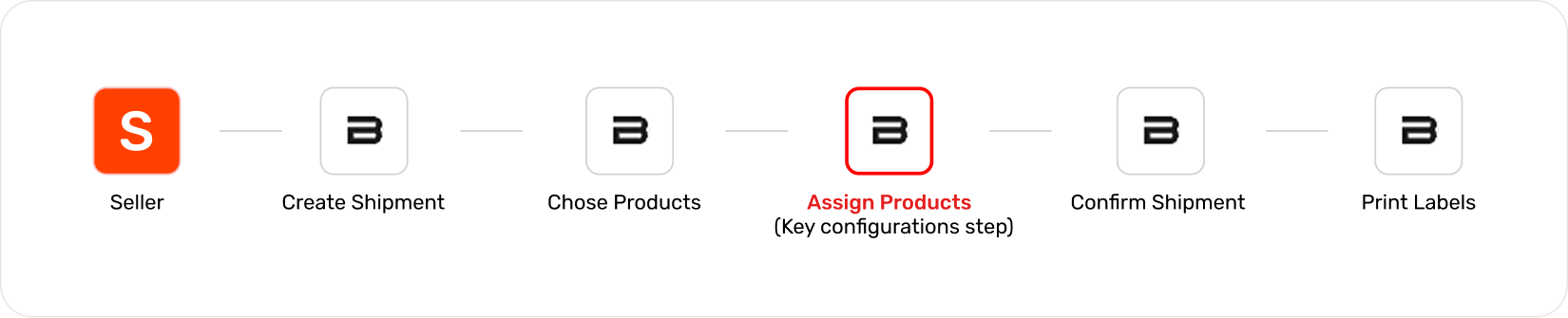
Boxem FBA Shipment Process
Defining The Problem
To gain a deeper understanding of the workflow, I interviewed five sellers with different shipment volumes, analyzed operational processes, and reviewed support requests from Intercom and LogRocket.
Shipment creation is repetitive operational work. Users want a workflow that is predictable and fast.
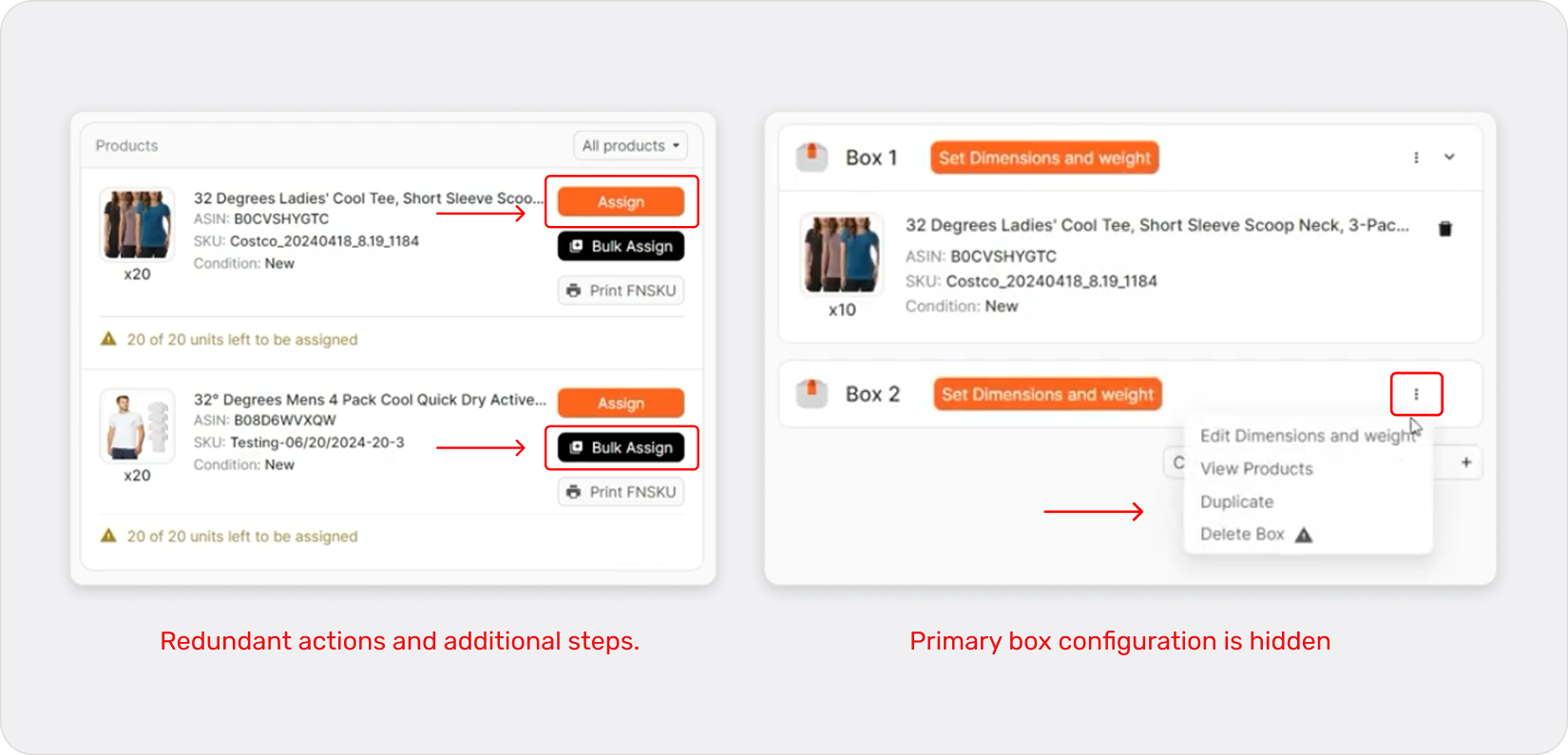
For Amazon sellers, shipping inventory to Amazon warehouses is a frequent operational task. Boxem improved this process compared to Amazon Seller Central, but the workflow still had usability friction. Early versions of the shipment workflow revealed usability issues that slowed down sellers.
PROBLEM MAPPING
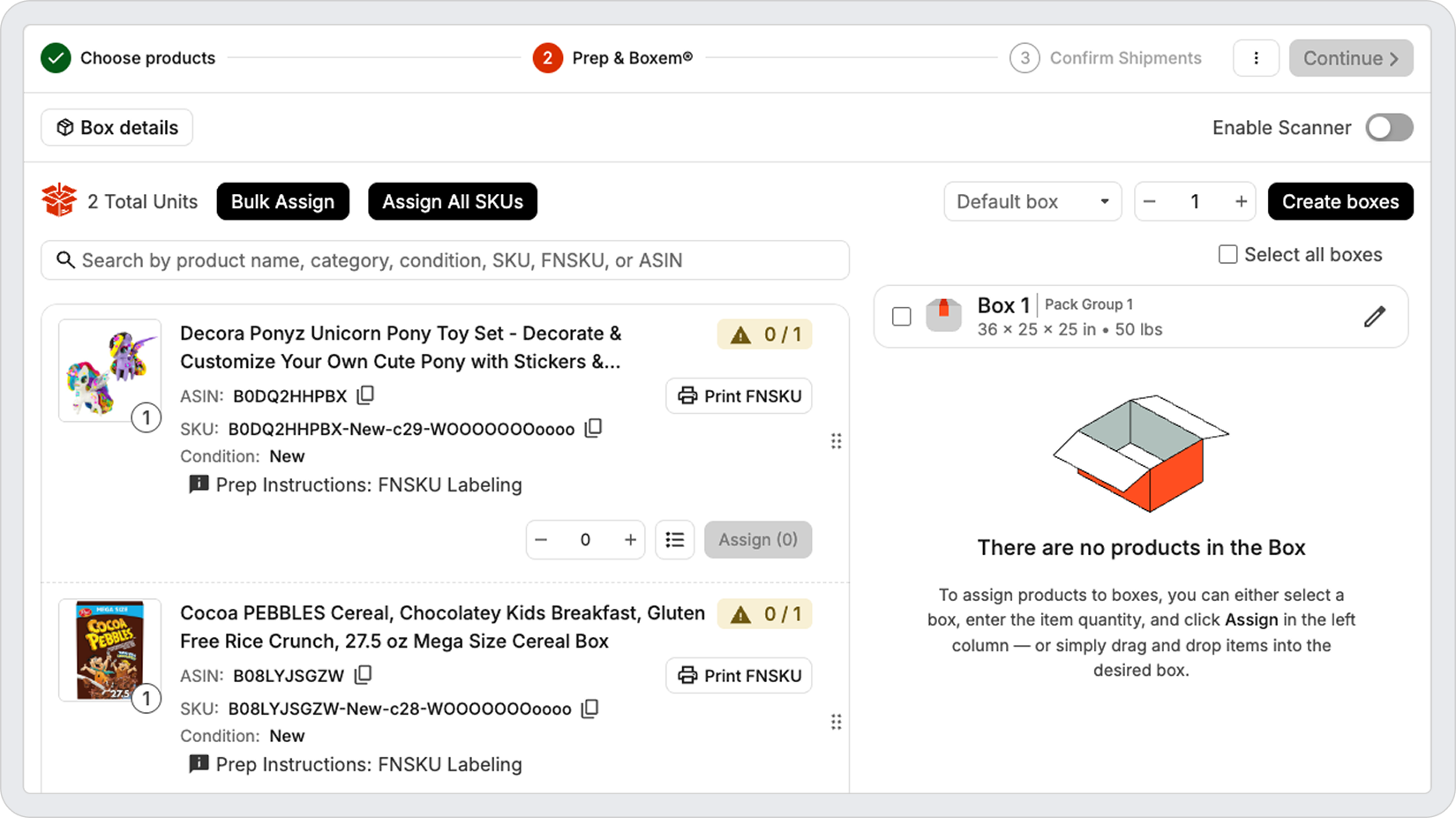
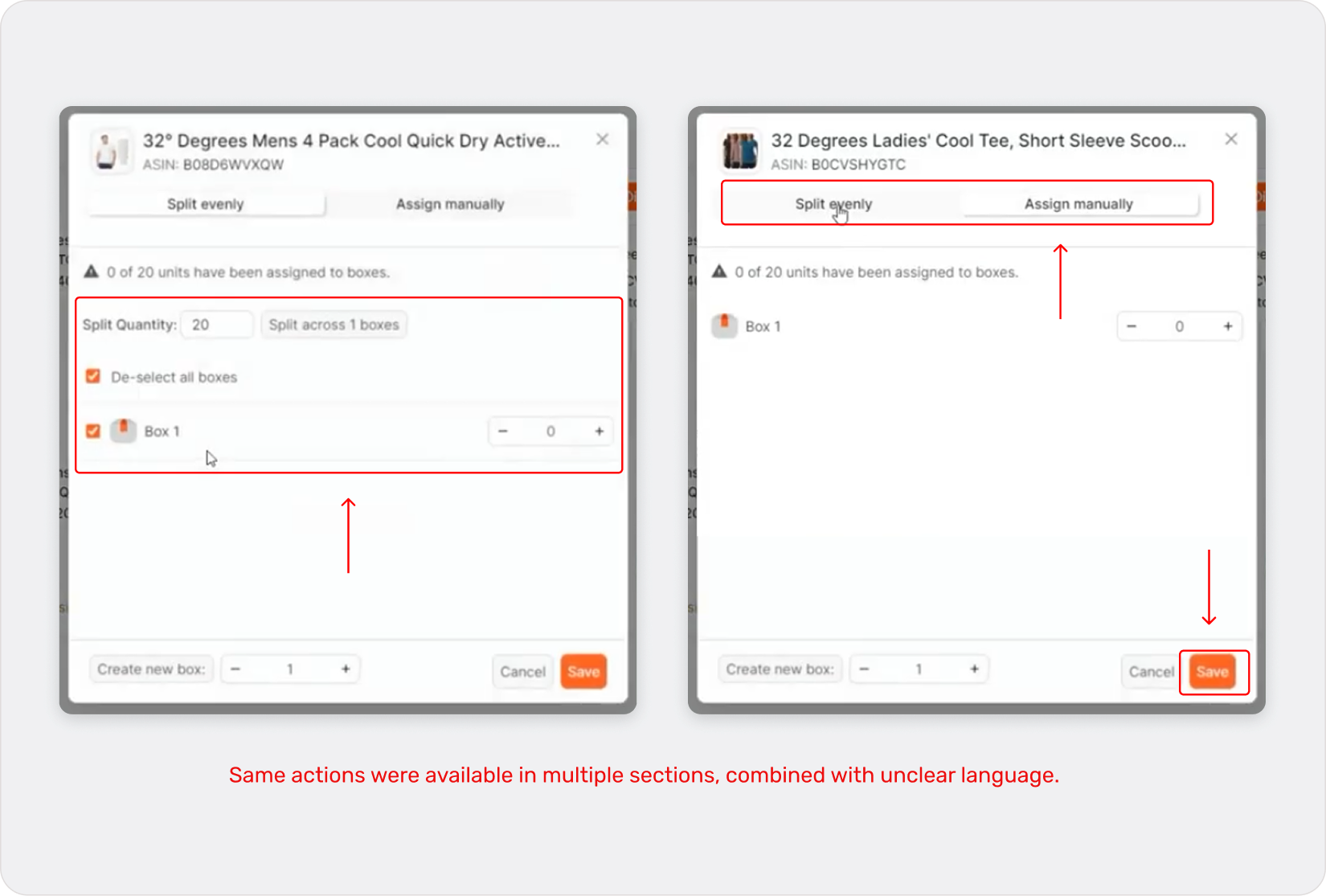
Confusing box assignment
Outdated UI Patterns
The process of splitting products across multiple boxes was difficult to understand. Users had to manually track quantities, remember totals, and constantly readjust box contents.
The interface relied on inefficient patterns—nested modals, redundant actions, and hidden functionality—that slowed down the workflow.
Prep & Boxem Workflow (Before)
Design Strategy
Eliminate unnecessary complexity
Core actions such as box configuration and product allocation should occur within a single workspace. This reduces context switching, minimizes cognitive load, and allows users to complete shipment setup without navigating across multiple screens or modals.
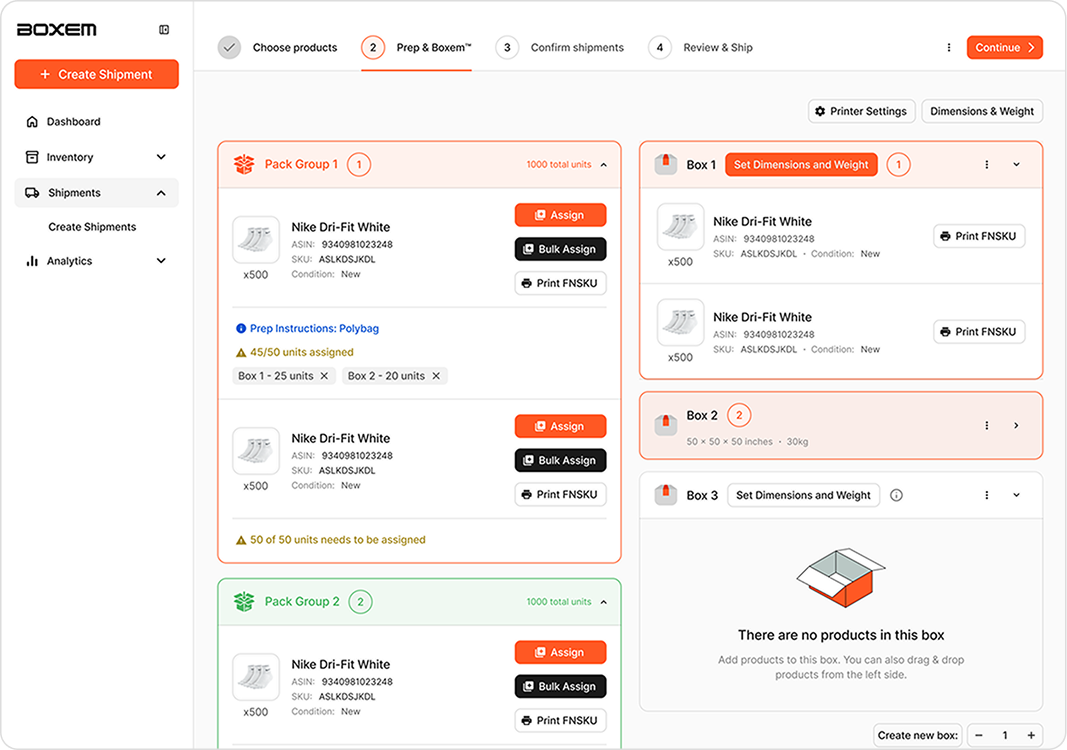
Design Solutions
The shipment workflow should enable users to quickly configure boxes, clearly understand product distribution, and catch errors before submission—prioritizing speed, visibility, and error prevention.
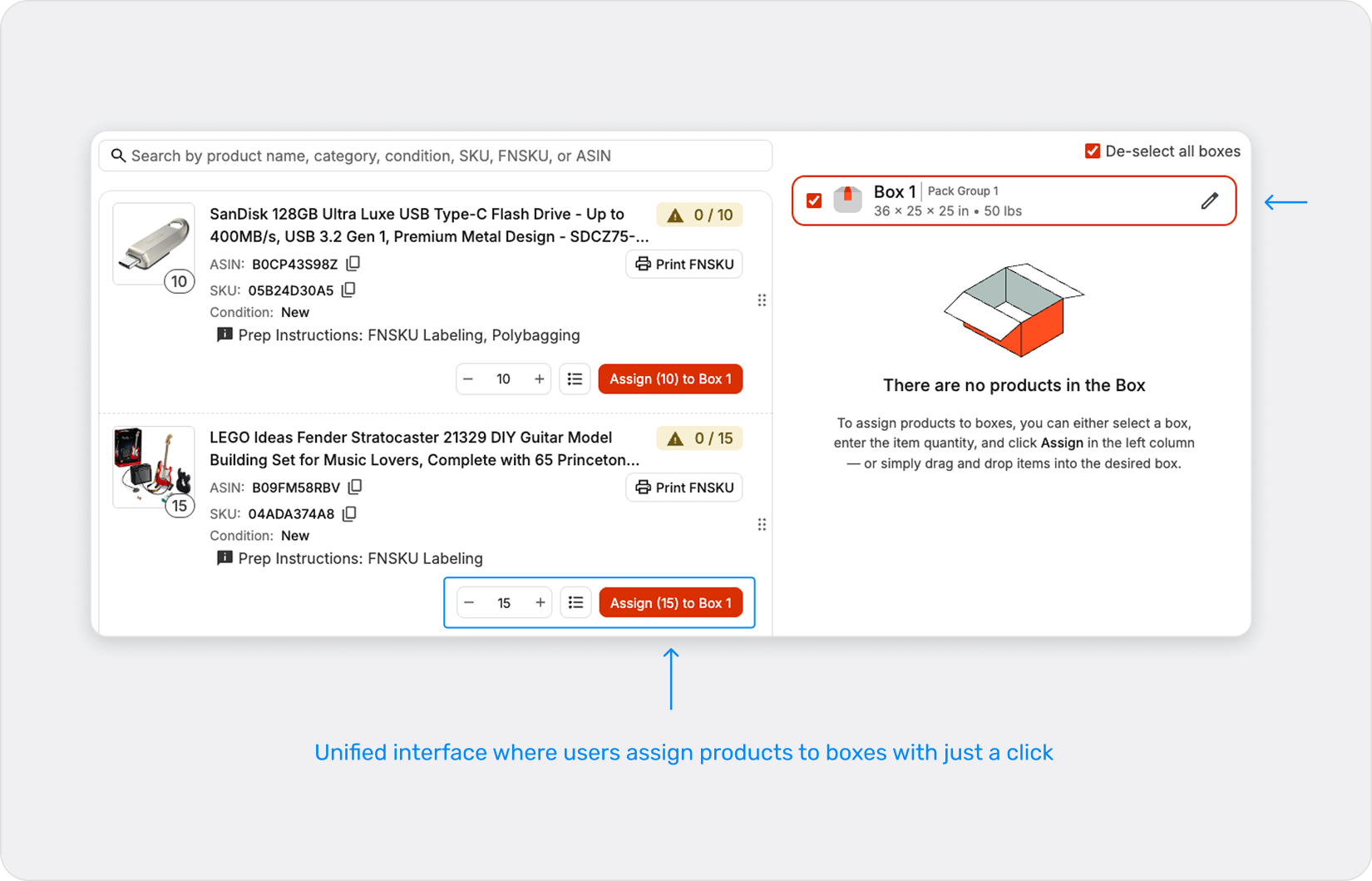
To support this, the Prep and Boxem workflow was redesigned into a single workspace where users can configure boxes, assign items, and review shipment details without navigating across multiple screens or modals. This reduces context switching and allows sellers to complete shipments more efficiently.
Faster item assignment
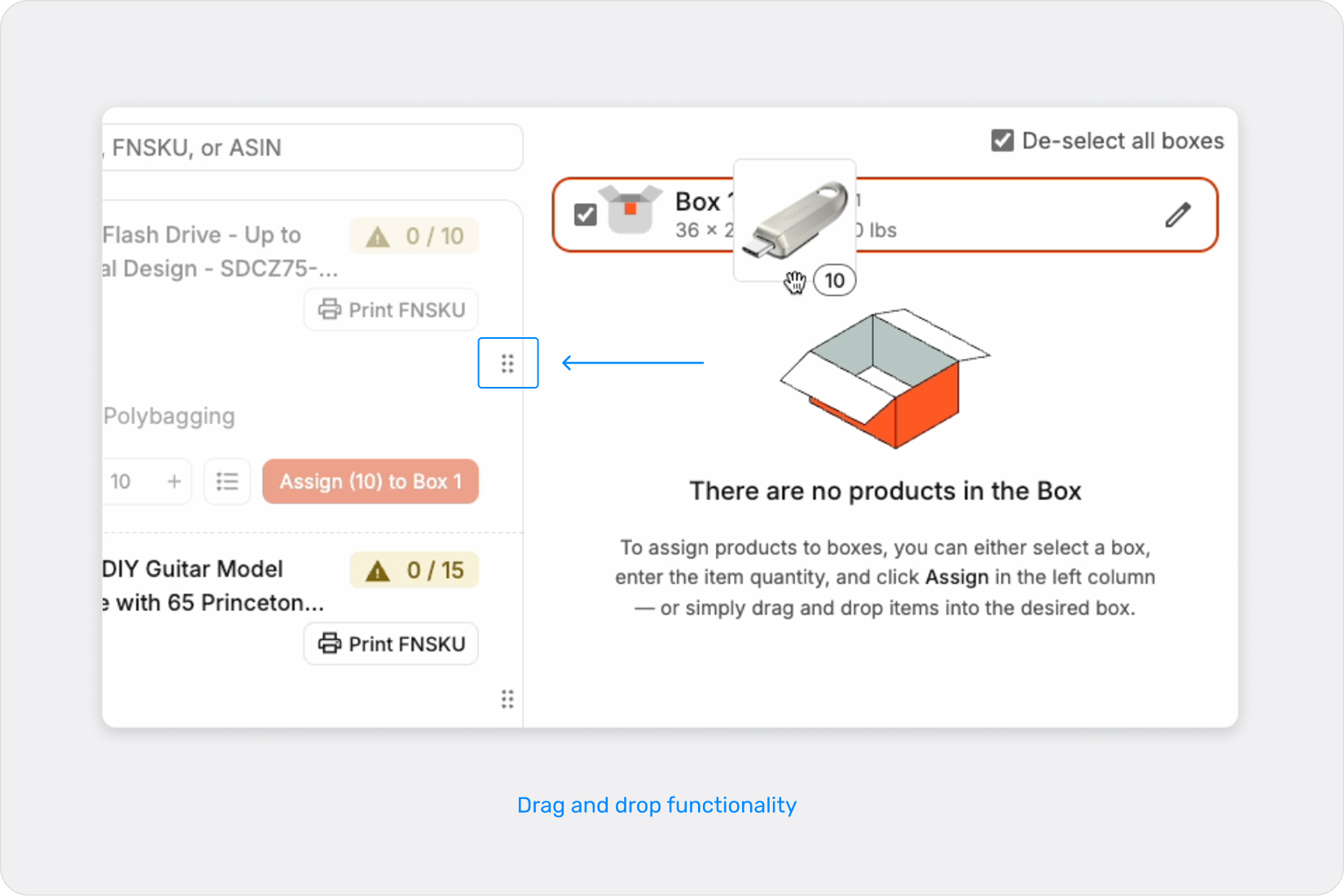
Users can quickly assign items to boxes through a streamlined interface that supports distributing products across multiple boxes when needed. A box is preselected by default with the total number of items ready to be assigned, allowing users to begin packing immediately.
Flexible box configuration
Boxes can be configured and adjusted directly within the workflow, enabling sellers to easily add boxes or redistribute items as shipment requirements change.
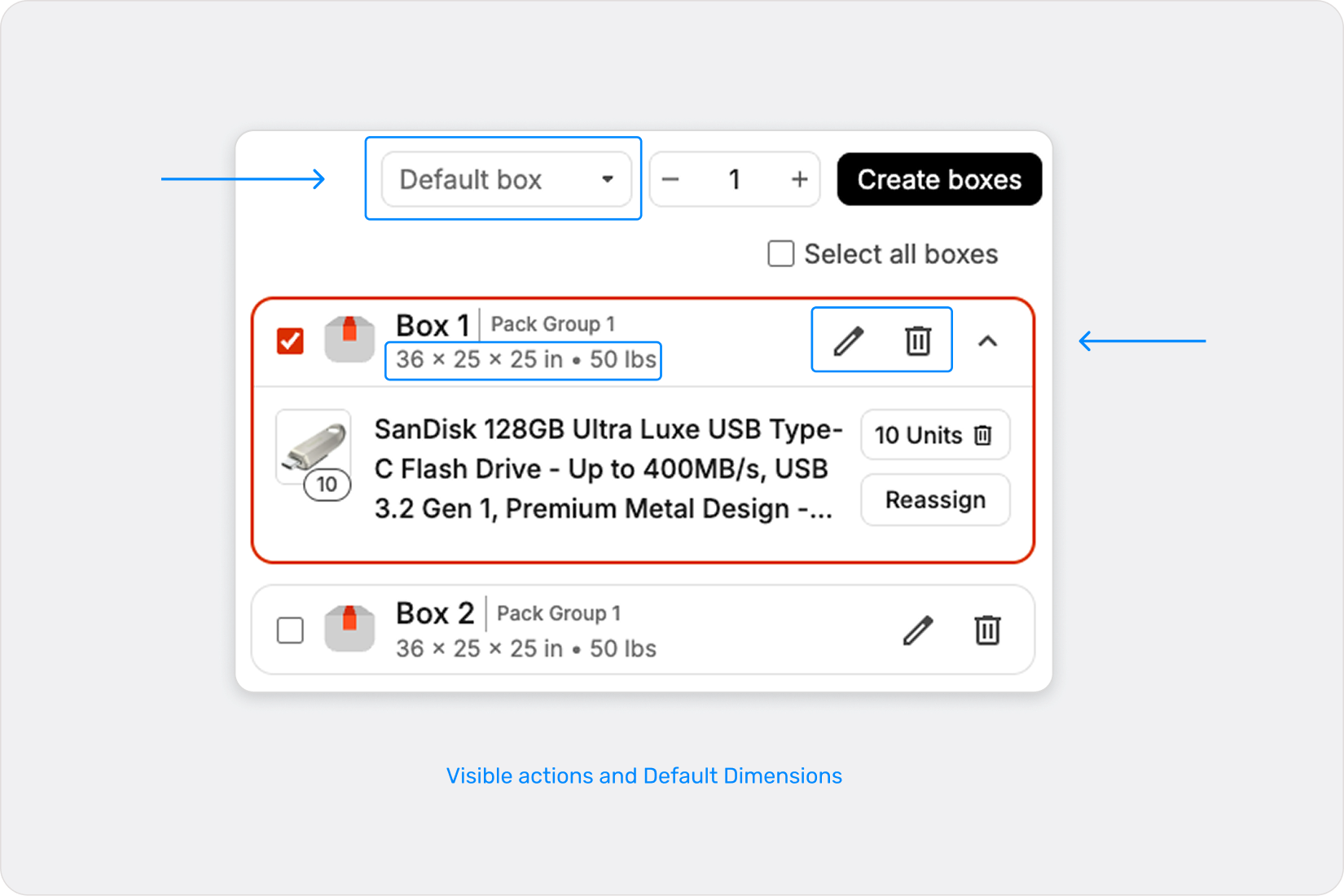
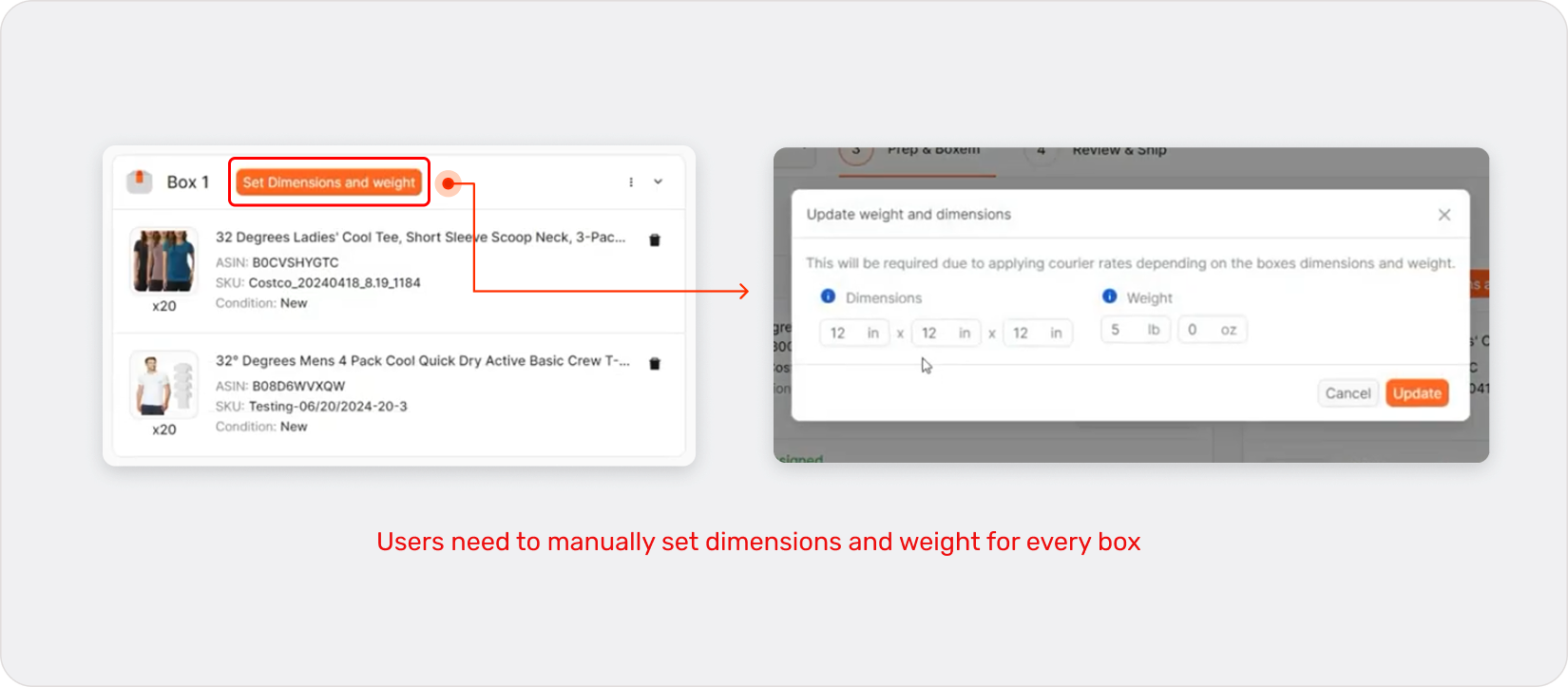
Dimensions default to the most common standard to speed up setup, while users can still configure and save custom templates for varying shipments. Main actions remain visible at all times.
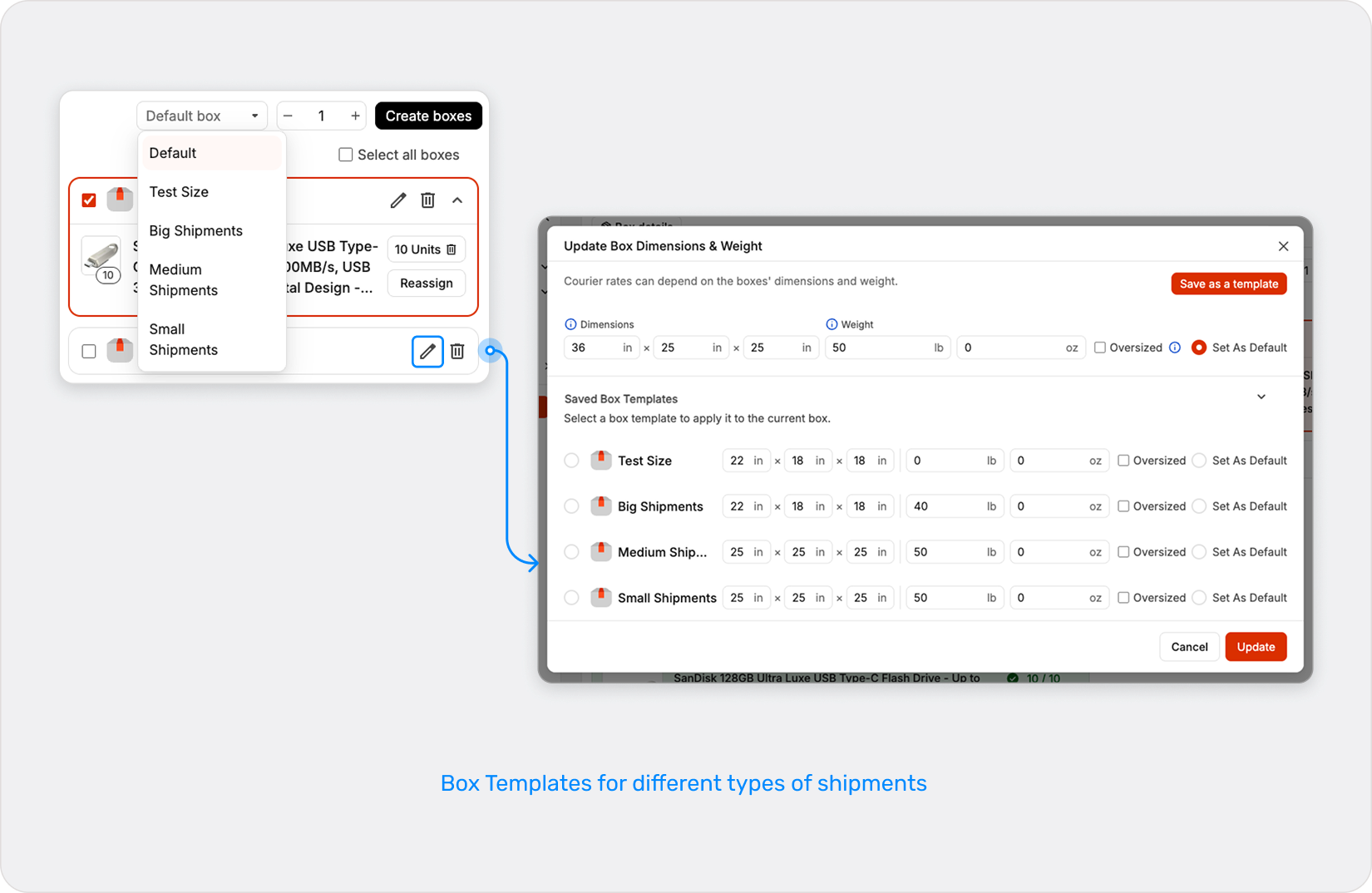
Support high-volume workflows
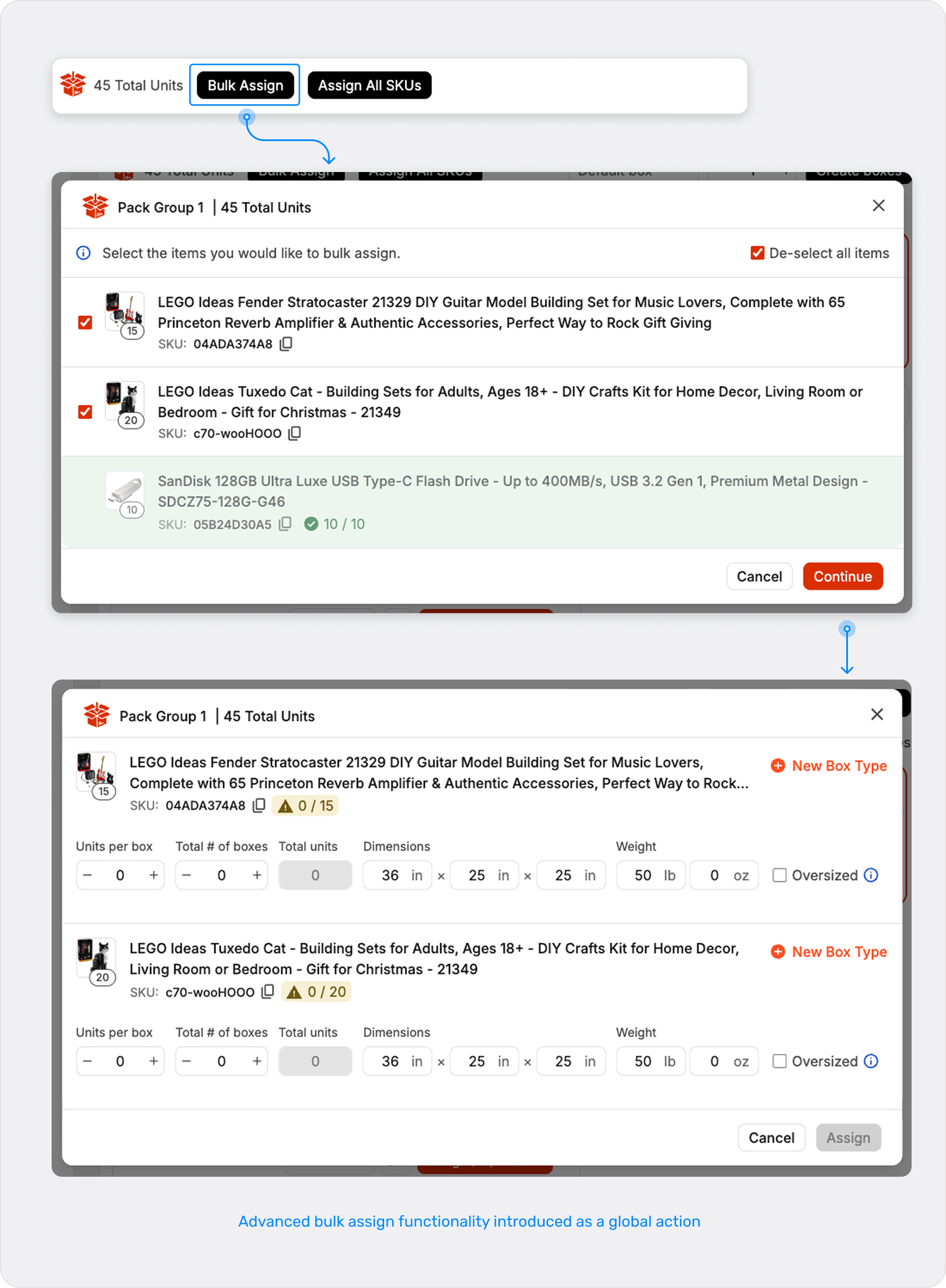
Sellers often process large shipments, so the interface should enable fast actions, bulk operations, and efficient product distribution across multiple boxes.
Bulk assign is used for one SKU at a time, it automatically creates boxes and assigns the SKU as users define units per box, box count, dimensions, and weight—ideal for case-packed or repetitive packing workflows.
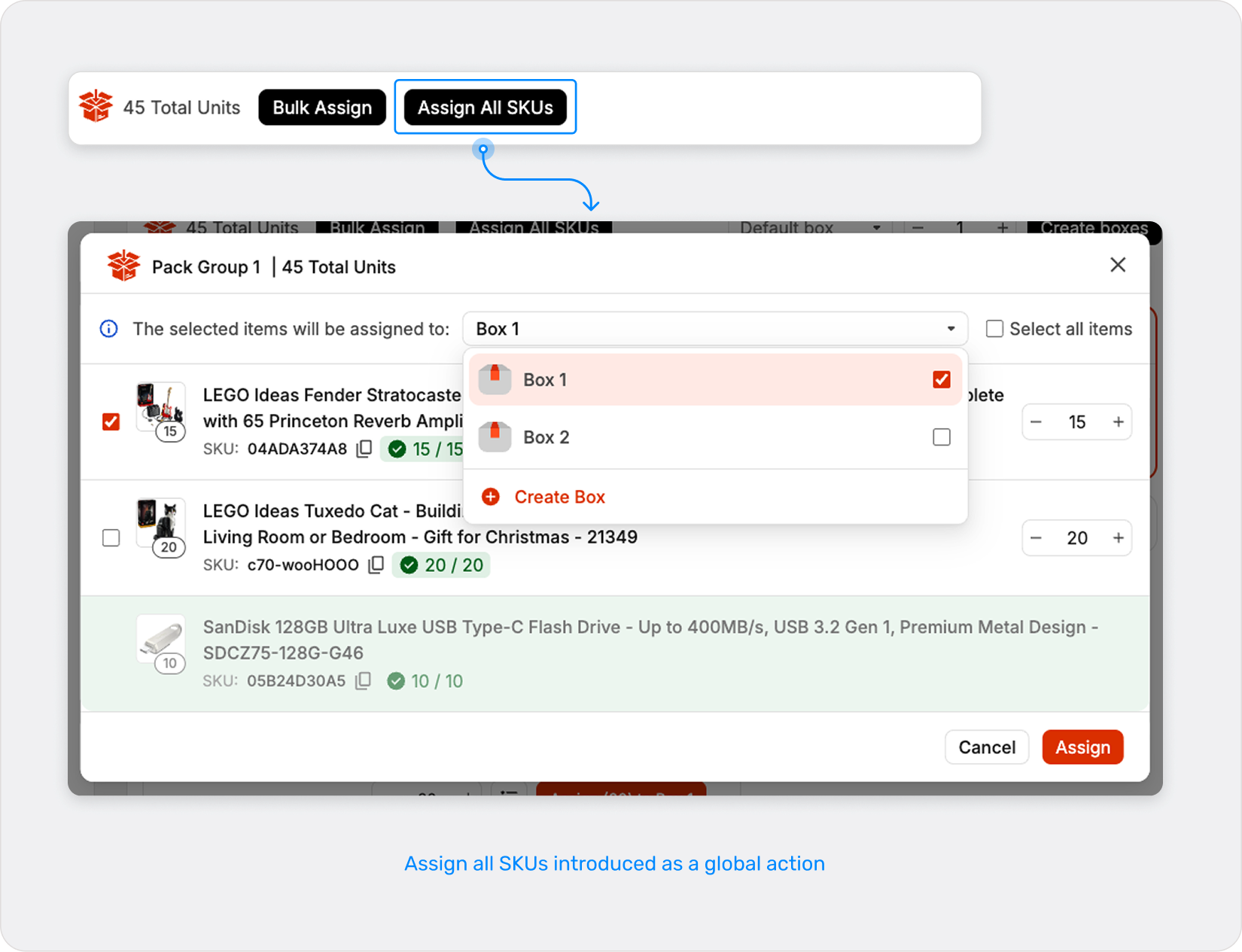
Assign All SKUs acts as a “finish this pack group” action: it automatically assigns all remaining unassigned units across SKUs into boxes, eliminating the need to manually assign or bulk assign items SKU by SKU. The goal is to speed up assignments, not to define a per-SKU case-pack pattern.
Results
Preparing box contents previously required navigating multiple screens and manually assigning items.
The redesigned workflow reduced preparation time on average to 4–6 minutes, saving approximately 10+ hours a month and significantly reducing operational friction for sellers managing large shipments.
By simplifying the process, sellers can spend less time managing logistics and more time growing their business. Reduced operational overhead enables them to move inventory to Amazon faster and spend less time preparing shipments.
Takeaways
What worked
What I learned
Collaboration with engineering and stakeholders helped streamline decision-making and ensured the design balanced usability with technical feasibility. This made it possible to introduce a visual workspace that improved visibility into shipment configuration while reducing modal-based interactions.
Not every feature requires a drastic redesign. In many cases, existing functionality can be adapted to support new workflows, preserving familiarity for experienced users while improving ease of use for new ones.
Future Oportunities
There are other parts of the shipment process that can be improved to provide additional value to users as well as faster shipments, like showing already amazon listings in the first step, and enhanced shipment analytics that could further streamline the workflow.
Let's build better products together!
Feel Free to send me a line at mmedina.ldg@gmail.com
Miguel Medina Design All Rights Reserved 2026